

Anyone who works in a modern office eventually meets an online HR portal. It holds your attendance, leave balance, payslips and personal records in one place, so you stop chasing paper forms and long email threads. HRMS Globex is one of the names people type into search engines when they need exactly that kind of access, and the questions behind the search are almost always practical: how do I sign in, where is my payslip, and why is the page not loading? This guide walks through the basics in plain language, so employees, managers and HR staff can understand what the platform does and how to use it without frustration.
Understanding the HRMS Concept
An HRMS, short for human resource management system, is software that gathers routine people-management work into a single place. Instead of keeping attendance in one spreadsheet, leave requests in an inbox and salary details in a separate accounting file, a company runs everything through one login. The employee sees a personal dashboard. The HR team sees records, approvals and reports. Payroll staff see the numbers that feed the monthly salary run.
The appeal is simple. Manual HR work is slow, and slow work produces mistakes: a leave day miscounted, a payslip sent to the wrong address, a joining form that never reached the right desk. A central system reduces those errors because every piece of information is entered once and reused wherever it is needed. It also leaves a clear trail, which matters when someone asks why a decision was made six months ago.
What the Platform Is and What It Does
HRMS Globex is commonly described as an online portal where staff and HR teams handle everyday workplace tasks. Because each organisation configures its own setup, the screens and modules you see may differ from what a friend at another company sees. Treat any general description, including this one, as a starting point, and rely on your employer’s internal instructions for the exact steps.
In most deployments of a system like this, you can expect to find some or all of the following areas:
- Employee profiles: contact details, job title, reporting manager and emergency contacts, all editable according to the permissions your company allows.
- Attendance and time records: daily check-ins, shift information and correction requests when a punch is missed.
- Leave management: balances, applications, manager approvals and a calendar view of who is away.
- Payroll and payslips: monthly salary statements, deductions and tax-related documents available for download.
- Recruitment and onboarding: job postings, candidate tracking and digital joining formalities for new hires.
- Performance and learning: goal setting, review cycles and training records.
No single employee uses every module. A new joiner may only touch the profile and onboarding pages, while an HR executive may spend the whole day inside approvals and reports.
Who Uses the Portal
Different people open HRMS Globex for different reasons, and the experience changes with the role. Employees use it mainly for self-service: checking leave balance, applying for time off, viewing attendance and downloading payslips. Managers see a team view, where they approve requests, review attendance exceptions and keep an eye on upcoming absences. HR staff maintain the master records, run onboarding, answer policy questions and prepare reports for leadership. Payroll teams verify inputs and confirm that the final figures are correct before salaries are released. System administrators sit in the background, creating accounts, assigning permissions and resetting access when someone is locked out.
This split of responsibilities is one of the biggest advantages of a shared platform. Everybody works from the same record, so there is less back-and-forth and fewer arguments about whose spreadsheet is correct.
How to Sign In Safely
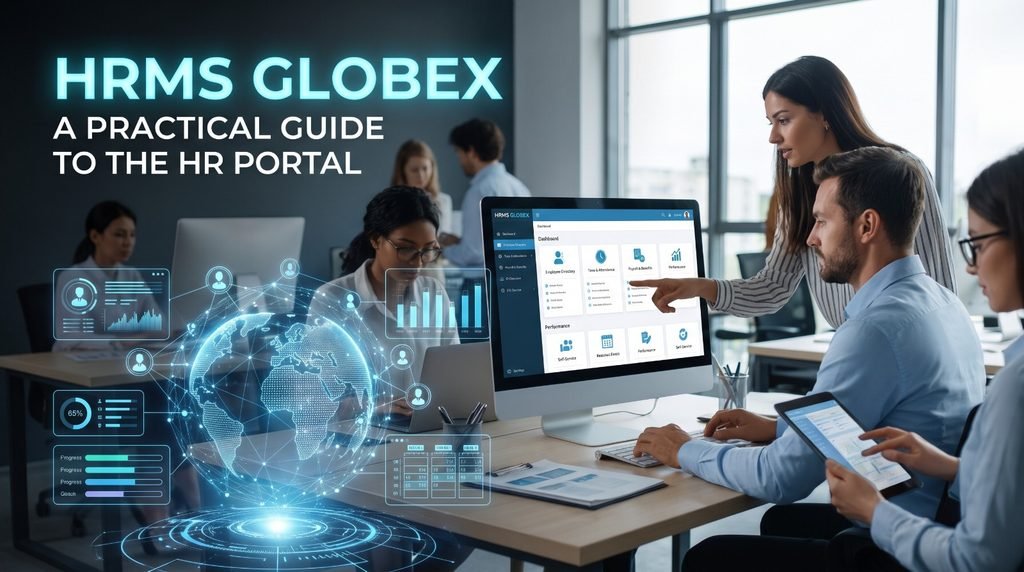
Most people reach the platform through a login page. The process for HRMS Globex normally follows a familiar pattern, although your company may add extra steps:
- Open the official portal link given by your employer. Use the link from your onboarding email, the company intranet or the HR team, not a link from a random message.
- Enter your username or employee ID.
- Type your password. First-time users are usually given a temporary password and asked to change it immediately.
- Complete any additional verification, such as a one-time code sent to your phone or email.
- Land on your dashboard and check that the name and details shown are yours.
A word of caution: login pages are a favourite target for fake websites. If a page looks slightly different, asks for information that your company never asked for before, or arrives through an unexpected message, stop and confirm with your HR or IT team. Real portals never need you to share your password with anyone, including colleagues and support staff.
Finding and Downloading Payslips
For many employees, payslips are the single most common reason to log in. Downloading a payslip from HRMS Globex usually takes under a minute. After signing in, look for a section named something like Payroll, Salary or My Documents. Choose the month you need, open the statement and save it as a PDF. Many people keep a personal folder with every payslip because banks, visa offices and landlords often ask for the last few months as income proof.
If a payslip is missing, do not assume something is wrong with your salary. Payslips are normally published only after the payroll team finishes its checks, so a short delay at the end of the month is common. If the statement is still absent after a few working days, contact HR and mention the month and your employee ID so they can trace it quickly.
Managing Leave and Attendance
Leave and attendance are where an HR portal saves the most time. With HRMS Globex in place, an employee can see the available balance for each leave type, submit a request with dates and a reason, and track whether the manager has approved it. The manager receives a notification, reviews the team calendar and responds, instead of sorting through a pile of emails.
A few habits make the process smoother:
- Apply early, especially for long leave or peak business periods.
- Check your remaining balance before submitting, so the request is not rejected automatically.
- Raise attendance corrections promptly. Fixing a missed punch from yesterday is easier than explaining it three weeks later.
- Keep supporting documents, such as medical certificates, ready if your policy requires them.
Because every action is recorded, both sides are protected. The employee has proof that a request was made, and the company has a clean history for audits.
Data Protection and Privacy
HR systems hold some of the most sensitive information a business owns: addresses, bank details, identification numbers, salary figures and performance notes. Any serious platform therefore depends on layered protection, and the same applies to HRMS Globex. Common safeguards include encrypted connections, role-based permissions so that people only see what their job requires, activity logs, and regular backups. Some companies also add two-step verification.
Technology is only half of the picture, though. Users play an equally important role. Choose a strong, unique password, avoid logging in from shared computers, sign out when you finish, and never leave your session open on a public device. Employers should review access rights regularly, remove accounts of people who have left and train staff to spot phishing attempts.
Fixing Common Portal Problems
When the portal misbehaves, the cause is usually small. Before you panic or send an urgent message, run through this short checklist:
- Cannot log in: check that Caps Lock is off, confirm the username format and use the password reset option if one is available.
- Account locked: repeated wrong attempts often lock access for safety. Wait for the timeout or ask the administrator to unlock it.
- Page will not load: refresh, try another browser, clear cache and cookies, and confirm your internet connection is stable.
- Verification code not arriving: check spam folders, confirm your registered phone number and request a fresh code.
- Missing data: if leave balance or attendance looks wrong, take a screenshot and share it with HR rather than describing the issue from memory.
If a problem with HRMS Globex continues after these steps, the matter is probably with your account settings or a company-side configuration, and only your administrator can change that. Give them the exact error message, the time it happened and the device you were using. Specific details shorten the fix considerably.
Advice for Employers Planning a Rollout
Choosing or introducing a system is not only a software decision, it is a change-management project. Companies that get good results from HRMS Globex or any similar platform tend to follow the same principles. Start by cleaning your existing employee data, because importing messy records simply moves the mess into a new place. Decide who owns each process, from leave approvals to payroll sign-off. Train managers as well as employees, since managers are the people who keep workflows moving. Publish a short internal guide with the login link, a support contact and answers to the five questions staff ask most often. Finally, collect feedback after the first month and adjust, because no setup is perfect on day one.
Frequently Asked Questions
Is the portal only for large companies? No. Small and mid-sized teams use HR portals too, often starting with attendance and leave and adding payroll later.
Can I use it on my phone? Many companies allow mobile access through a browser or an official app. Only install apps recommended by your employer.
Who do I contact when something goes wrong? Your HR team or internal IT desk is the right first stop. They can check your account and the company configuration.
Is my personal information safe? Safety depends on both the system’s controls and your own habits. Use strong passwords, avoid public devices and report anything suspicious immediately.
Final Thoughts
A good HR portal removes friction from the small, repeated tasks that fill a working month. Understanding how HRMS Globex fits into those tasks helps every user: employees find answers faster, managers approve requests without delay, and HR teams spend less time on paperwork and more time on people. Keep your login details private, rely on the official link supplied by your employer, and ask HR whenever something looks unusual. With those simple habits, the system becomes a quiet helper in the background rather than another source of stress.
